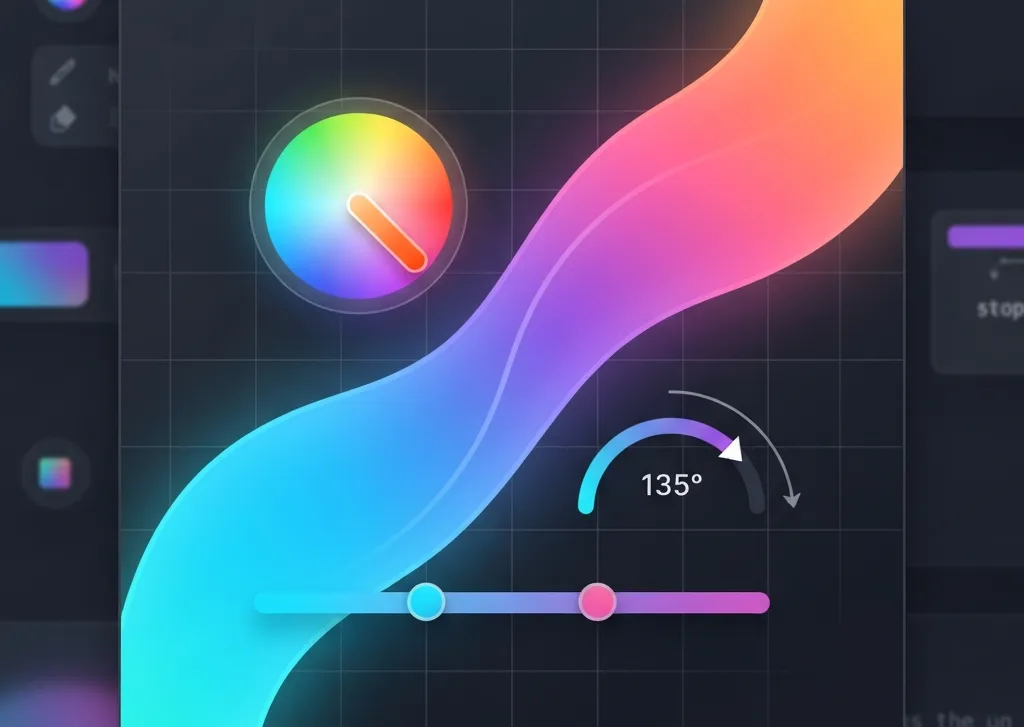
Generate CSS linear and radial gradients with customizable colors, angle, and stops. Get your gradient code instantly!
The
Gradient Generator: Create Custom CSS Gradients tool helps web developers and designers quickly produce CSS code for visually appealing color transitions. This online utility simplifies the process of designing both linear and radial gradients, allowing users to define colors, angles, and preview the results in real-time. It eliminates the need for manual CSS coding, providing ready-to-use snippets for web projects.
TL;DR: Gradient Generator Overview
- Purpose: Generates CSS code for linear and radial gradients.
- Inputs: Gradient type (linear/radial), two colors (hex codes or color picker), angle (0-360 degrees for linear).
- Features: Real-time preview, preset gradient options, instant CSS output, one-click copy.
- Output: Standard CSS
background property with linear-gradient() or radial-gradient().
- Benefits: Speeds up design workflow, ensures accurate CSS syntax, simplifies gradient creation.
Jump to Section:
This Gradient Generator operates by taking user-defined parameters and translating them into valid CSS gradient syntax. When you select a gradient type, choose colors, or adjust the angle, the tool dynamically updates a preview area and generates the corresponding CSS code. It supports two primary gradient types: linear and radial.
Linear Gradients
Linear gradients transition colors along a straight line. The tool allows you to specify an angle, which dictates the direction of this line. For example, an angle of
0deg creates a gradient from bottom to top, while
90deg goes from left to right. The colors are applied from a starting point (
0%) to an ending point (
100%) along this line.
Radial Gradients
Radial gradients transition colors outward from a central point, creating a circular or elliptical effect. Unlike linear gradients, radial gradients do not use an angle parameter. The tool generates a basic radial gradient that expands from the center (
circle) with the first color at
0% and the second color at
100%.
Parameters and Options Guide
The Gradient Generator provides several intuitive controls to customize your gradients:
Gradient Type Selectio
- Linear: Creates a gradient along a straight line.
- Radial: Creates a gradient radiating from a central point.
Angle (deg)
This slider is available only for linear gradients. It allows you to set the direction of the gradient. The range is from
0 to
360 degrees. A value of
135 degrees is set as the default.
Color Inputs
The tool features two color inputs:
- Color 1: The starting color of your gradient. Default is
#1e40af.
- Color 2: The ending color of your gradient. Default is
#3b82f6.
Each color input includes both a color picker (
input type="color") and a text field for hexadecimal color codes (
input type="text"). Changes in one field automatically update the other.
Preset Gradients
A selection of 8 pre-defined gradient buttons allows for quick application of popular color combinations. Clicking any preset button instantly updates Color 1 and Color 2 inputs and refreshes the preview and CSS output.
Step-by-Step Guide to Using the Tool
Follow these steps to generate your custom CSS gradient:
- Select Gradient Type: Choose either 'Linear' or 'Radial' from the 'Gradient Type' dropdown. The default is 'Linear'.
- Adjust Angle (for Linear Gradients): If 'Linear' is selected, use the 'Angle (deg)' slider to set the gradient's direction. The range is
0° to 360°.
- Choose Color 1: Use the color picker or type a hexadecimal code into the 'Color 1' text field. The default is
#1e40af.
- Choose Color 2: Use the color picker or type a hexadecimal code into the 'Color 2' text field. The default is
#3b82f6.
- Utilize Presets (Optional): Click any of the 8 'Preset Gradients' buttons to quickly apply a pre-defined color scheme.
- Review Preview: Observe the 'Preview' box, which updates in real-time to show your gradient.
- Copy CSS Code: The generated CSS code appears in the 'CSS Code' textarea. Click the 'Copy' button to copy the code to your clipboard. The button text will temporarily change to 'Copied!' for 2 seconds.
Real-World Applications
CSS gradients are versatile and can enhance various elements in web design:
- Backgrounds: Create visually engaging section or page backgrounds.
- Buttons: Add depth and a modern look to interactive elements.
- Text Overlays: Apply subtle gradient effects to text for stylistic purposes.
- Dividers: Use gradients as decorative lines or separators.
- UI Elements: Design custom scrollbars, progress bars, or card backgrounds.
Troubleshooting Tips
If you encounter issues while using the Gradient Generator, consider these points:
- Gradient Not Changing: Ensure you are interacting with the correct input fields. Changes to color pickers, hex inputs, angle sliders, or gradient type should trigger an immediate update.
- Angle Slider Missing: The angle slider is only visible and applicable for 'Linear' gradients. If 'Radial' is selected, this control will be hidden.
- Color Format: While the tool primarily uses hex codes, ensure any manually entered hex values are valid (e.g.,
#RRGGBB or #RGB). Invalid codes may not render correctly.
- Copy Button Not Working: Check your browser's permissions for clipboard access. Most modern browsers allow
navigator.clipboard.writeText() without explicit permission for user-initiated actions.
Frequently Asked Questions
What is a CSS gradient?
A CSS gradient is a type of image that smoothly transitions between two or more colors. It is defined directly within CSS code, allowing for dynamic color blends without needing external image files. Gradients can be linear (straight line) or radial (circular/elliptical).
Can I use more than two colors in the generated gradient?
This specific Gradient Generator tool is designed to create gradients with two colors. While CSS gradients can support multiple color stops, this tool focuses on simplifying the common two-color gradient use case for quick generation.
What is the difference between linear and radial gradients?
Linear gradients transition colors along a straight path, defined by an angle. Radial gradients transition colors outward from a central point, creating a circular or elliptical shape. Linear gradients have a direction, while radial gradients have a shape and origin.
How do I apply the generated CSS code to my website?
After copying the CSS code, paste it into your website's stylesheet (e.g., style.css) or directly into a <style> tag within your HTML. Apply it to an element using the background or background-image property, for example: .my-element { background: linear-gradient(...); }.
Are the generated gradients compatible with all browsers?
Modern CSS gradients (linear-gradient() and radial-gradient()) are widely supported across all major browsers. The tool generates standard CSS syntax, ensuring broad compatibility without requiring vendor prefixes for most current browser versions.
Conclusio
The Gradient Generator: Create Custom CSS Gradients tool offers a straightforward solution for crafting visually appealing color transitions for web projects. By providing real-time previews and instant CSS code, it streamlines the design process for both linear and radial gradients. Experiment with different colors and angles to achieve unique effects, and integrate the generated CSS into your designs to enhance their visual appeal.